
Add Stock Media to Your Video Projects
July 9, 2023 · Alex Grant
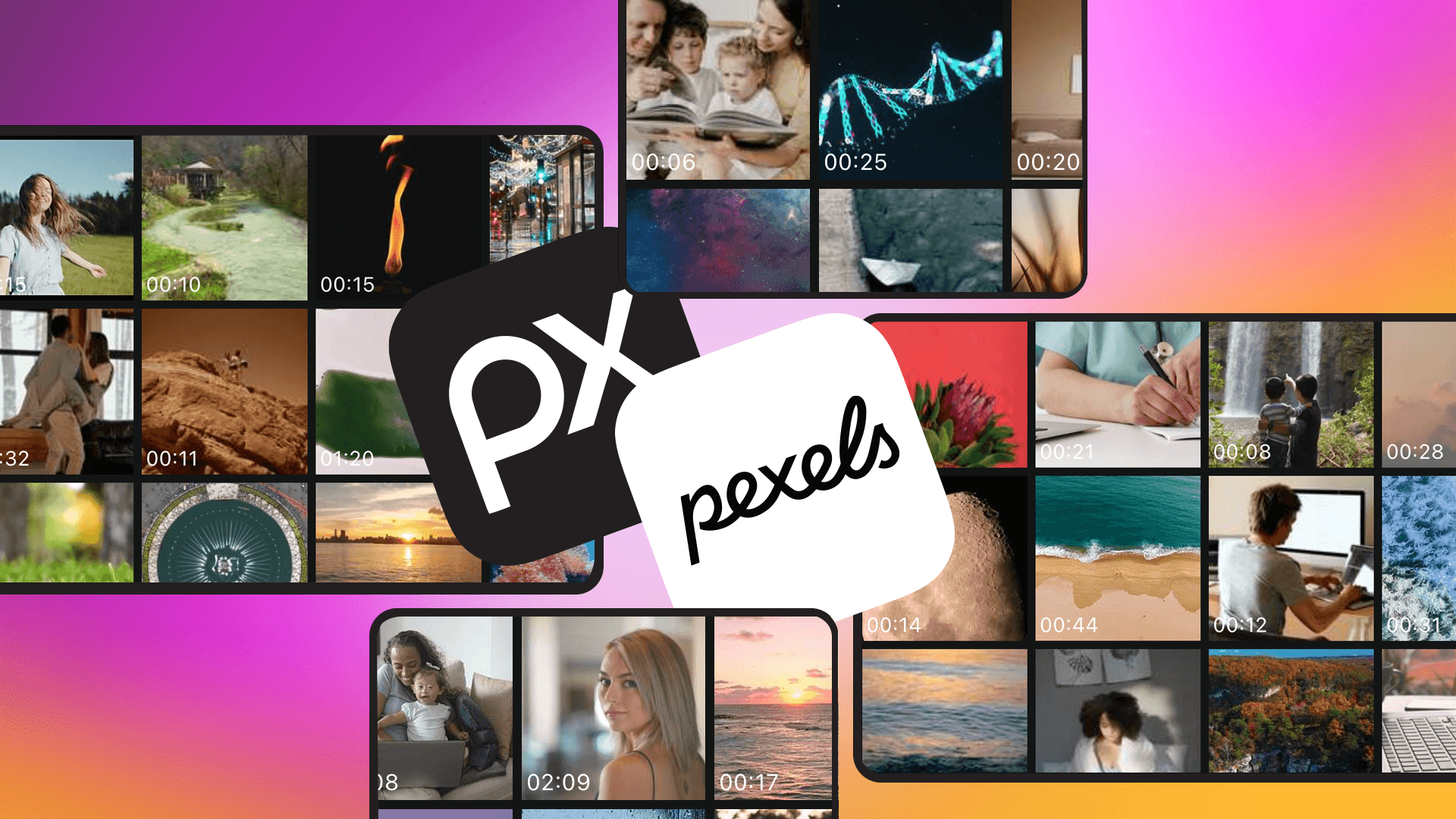
Stocked with Stock Media: Pexels and Pixabay Now Available
Updated: 04/22/2026 ✅ Works with KineMaster 8.1
After this article was published, KineMaster added Pixabay to the Media Browser, expanding the content options editors can choose from.
Put free stock media from Pexels and Pixabay directly into KineMaster, introduced in the 7.1 app update.
The integration of Pexels and Pixabay stock media to KineMaster 7.1 (and up) lets editors browse, search for, and import from hundreds of thousands of CC0-licensed videos and images right from the Editing screen.
Both Pexels and Pixabay offer high-resolution videos and images that you can download and use copyright-free and royalty-free directly from KineMaster's Media Browser into your KineMaster video projects.
Now Showing: Stock!
Starting with KineMaster 7.1, you can search, download, and add images and videos from Pexels and Pixabay directly from the Media Browser. Copyright-free stock media integration gives marketing and business creators more creative flexibility and freedom for commercial work, or for those looking to add unique, compelling footage to personal projects.
Pexels' stock media library has videos and images uploaded by professional videographers and photographers covering an extremely wide variety of, primarily, professional uses. Most of the media you can find on Pexels shows models and dressed scenes prepared for concept shoots. If you're in need of stock content that shows visual examples of your video topic, Pexels is a great choice.
Pixabay has a bigger collection of one-off videos and images, uploaded from both professional and pro-amateur media. Pixabay offers animated and illustrated content, which is notably absent from Pexels' body of work. Although the Pixabay website offers additional media types, KineMaster only allows the download of videos and images from the Pixabay stock library. If you're looking to add a little bit of creative fun to a video with reactions, visual puns, or more authentic slice-of-life media, Pixabay is your go-to.
How does KineMaster version 7.1 stack up?
| Feature | KineMaster | CapCut | VLLO | VN |
| Pexels & Pixabay Integration |
Directly built-in (browse and search) | Manual import required | Manual import required | Manual import required |
| Main Stock Resource | The Asset Store (10,000+ Assets) |
Exclusive library and AI generation | VLLO Studio (3,500+ design assets) | Built-in music and SFX library |
| Media Acquisition |
Download directly in-app to timeline | Use internal assets or external files | Proprietary graphics and audio library | Focus on external file management |
TIP: Green screen video, images, and animations available from Pexels and Pixabay work incredibly well with KineMaster's Chroma Key tool.
Stock up on Stock Media: A Quick Guide
Here's how you can try it for yourself:
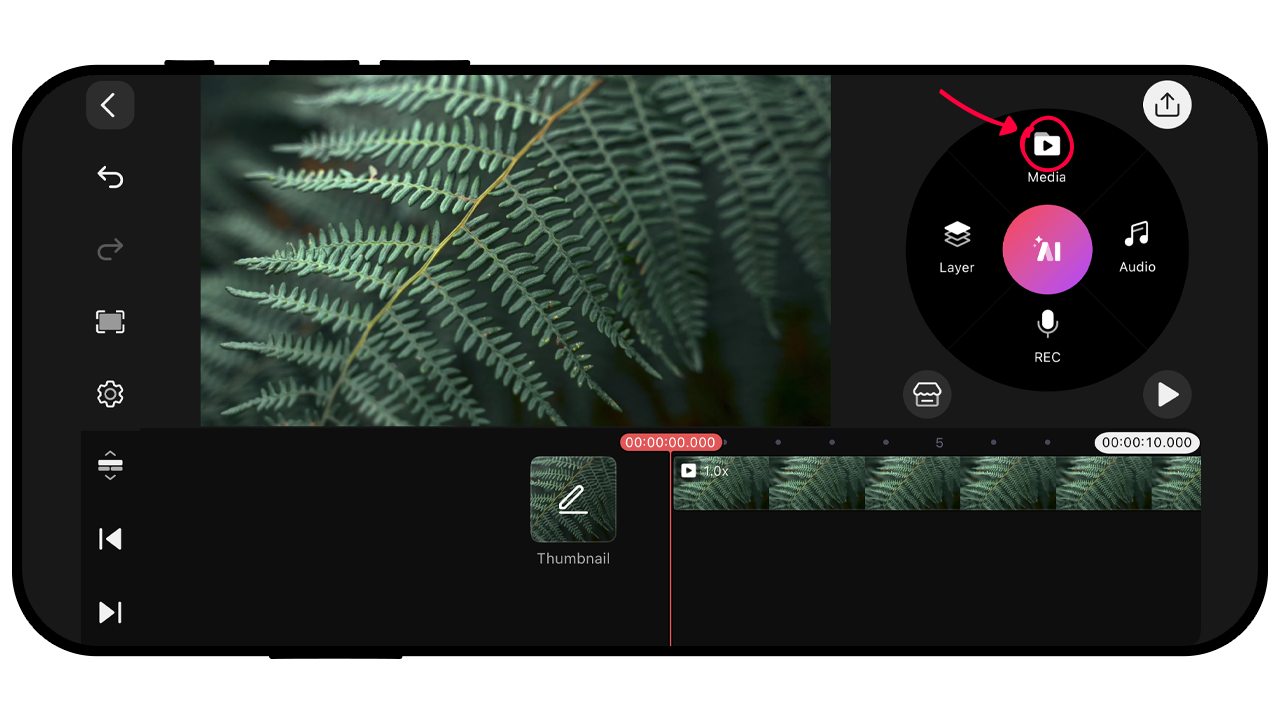 Tap the Media button to add a background. Videos and images added with the Media button are always at the bottom of your project's layer stack.
 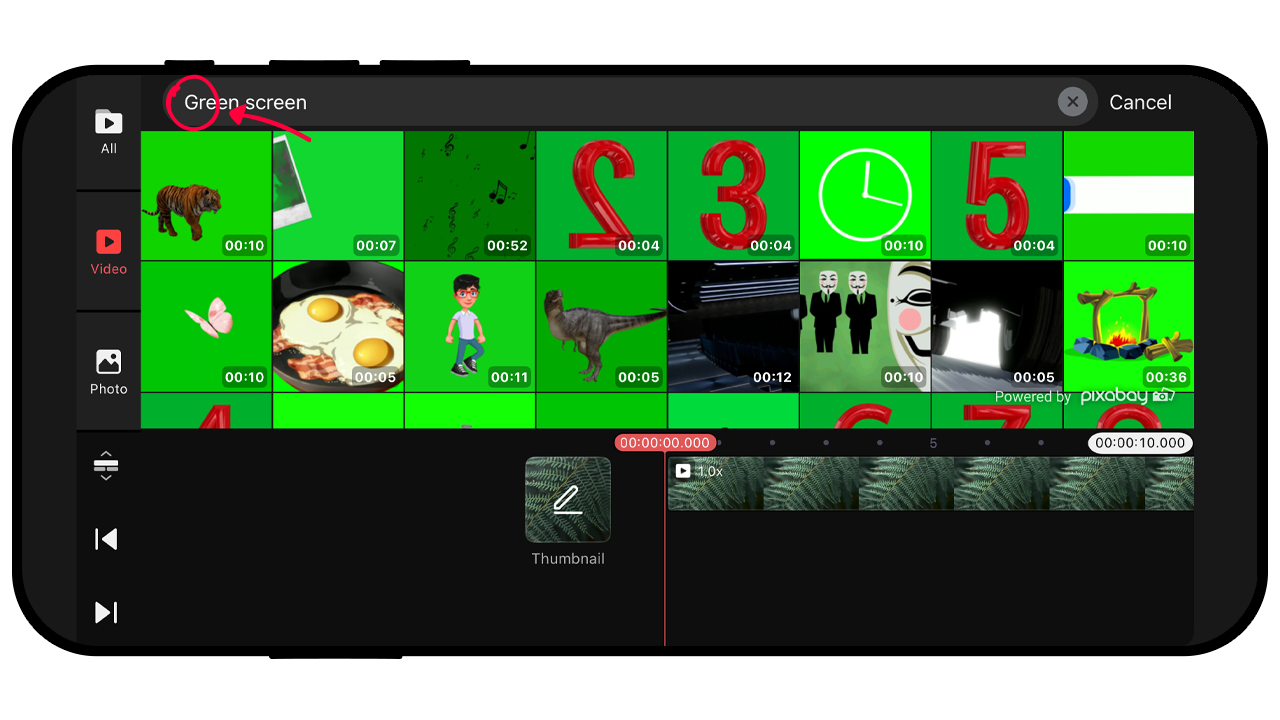 Add a green screen from Pixabay by tapping the Layers button (then Media if you're editing horizontally) and choose Pixabay. Next, tap the magnifying glass and search for "Green Screen."
Tap a media asset that you want to experiment with.
It will download and be added to your timeline from the point where your playhead is resting.
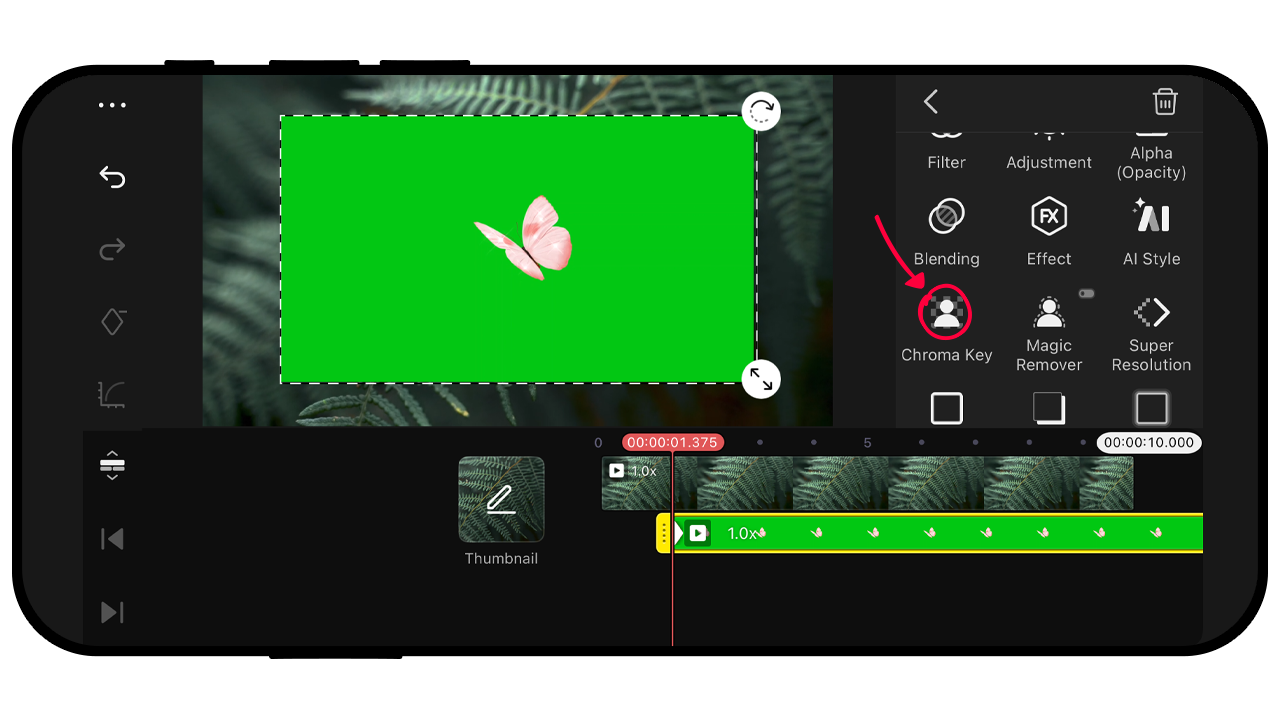 Tap the green screen layer to select it. Then tap Chroma Key in the Tool Panel that opens on the right side of the Editing screen.
 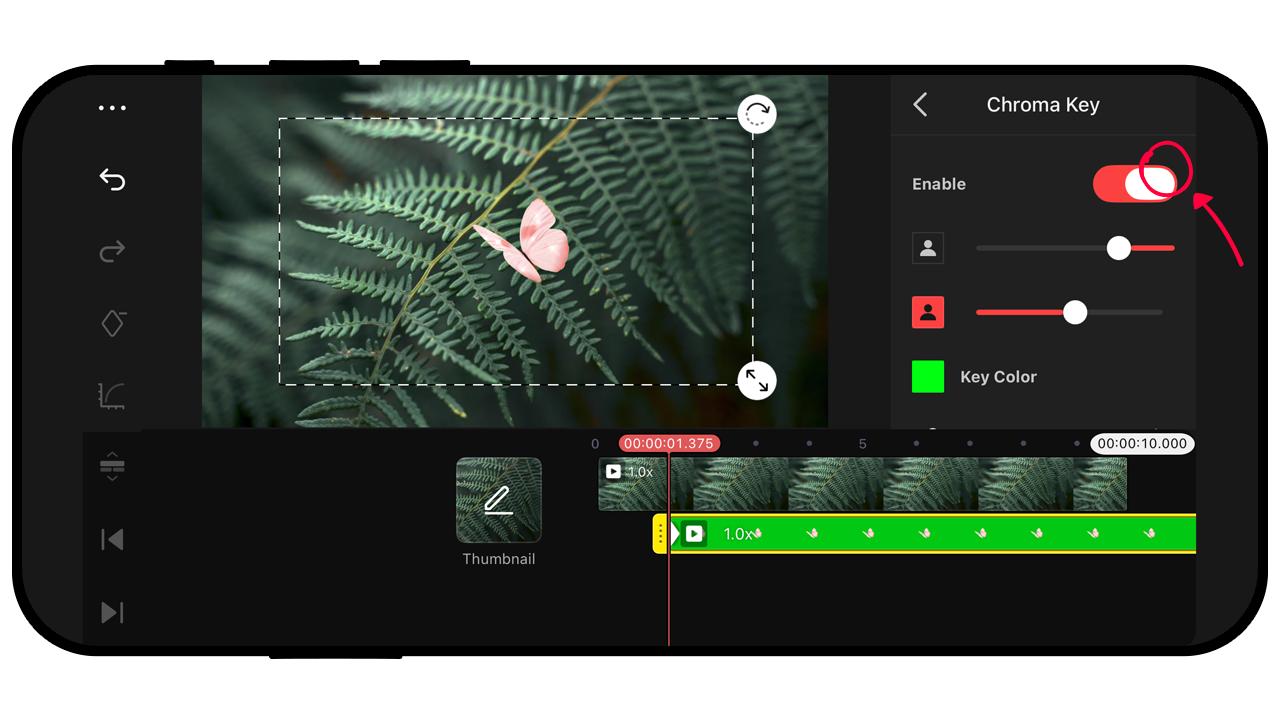 Tap the Enable toggle to remove the green area from the layer.
 If you're looking for a quick way to show a concept, add effects, or are just looking to add vibes to your videos, the stock media from Pexels and Pixabay has a lot to offer. If you've made something cool with Pexels or Pixabay in KineMaster, we'd love to see it. Drop a link on any of our social media channels and we'll be sure to check it out!
FAQ
Are Pexels and Pixabay Really Free?
The Pexels stock library offers CC0-licensed images and video, so the content is free to use however you want. Because CC0 licensed content can be used for commercial, monetized, and personal projects, you can use these assets without worrying about copyright issues. This allows you to focus entirely on your creative vision.
What's the difference between the Asset Store, Pexels, and Pixabay?
Pexels and Pixabay are available when you tap the Media or Layers button. They appear alongside content organization provided through your Photos (iOS) or Gallery (Android) app in the KineMaster media browser. The Asset Store is available through a direct button at the bottom left of the Media Wheel. The Asset Store contains more types of content including stickers, effects, animations, transitions, music, sound effects, fonts, and more.
Where can I learn more about Stock Media in KineMaster?
KineMaster has a special YouTube playlist on our channel that is full of helpful tutorial content. You can click this link to watch our video that focuses on stock media. You can visit the tutorials playlist at any time when you tap the Tutorials button at the top of the Create screen in the KineMaster app.
This article was written and reviewed by the KineMaster Editorial Team.

Two apps, one subscription!
Subscribers to KineMaster Premium get Spring Premium for free!
Create Mind-blowing Videos, Fast and Easy now!

